We have lot of applications installed in our computer. Most of the applications like browsers, anitviruses, firewalls, and others need to be updated to render maximum performance. Otherwise, these applications become outdated and our system will become vulnerable to malicious attacks. Manually updating applications in our system is a monotonous task.
A update tool is a software that will automate the process of updating applications running in your system. It will scan all the applications running in your system and will display available updates and patches for them. Not only that with the click of a button all these updates will be downloaded and applied to respective applications. I will tell you about some update tools that will help you keep your system and its applications updated and secure.
 SUMoSUMo
 tops in my list of the best update tool with a huge database of about 90,000 applications. So you will definitely find no problem in getting updates for all the applications installed in your system. It even has updates for other update tools that I will mention in the rest of this post. After starting SUMo click on the "Scan" button to start the scanning process. SUMo will list the applications installed in your system and specifies all the ones where an update is available. SUMo will not install the updates for you. Instead, it only notify you when updates are available. This is a major drawback of SUMo. SUMo is the application with the highest application detection rate than any other update tool. So if you need a tool that can detect updates then this tool is for you.
 UpdateStarUpdateStar
 is second to none when it comes to keep your system updated. It has a nice and cool interface. It is an amazing tool that will detect updates and download those updates for you and help to keep your system secure. It also has a huge database of about 80,000 applications to its credit. But the detection rate is bit low when compared to SUMo just because it only can list applications registered in the system control registry. Otherwise, does a good job and worth a try.
 Update CheckerUpdate Checker
 is a update tool from Filehippo.com. Update Checker can scan for applications installed in your system and display updates in a Web page interface. You just have to click on the download icon to download a update. Update Checker can detect only 200 programs and only detects programs installed in the system control registry. But Update Checker includes updates for almost all popular applications including lot of freeware applications. Update Checker is a simple yet powerful update checker you ever need.
 Personal Software InspectorPersonal Software Inspector
 is an all in one update tool that will keep your system secure. This is not just a update tool, but also a security tool that will help you close all the loop holes in your system by which malicious programs enter your system.
PSI is the software update tool from Secuna, which has a intuitive interface. It will help you patch applications there by keeping your system secure. The program has a database of just 4500 applications, but includes all major applications and does a good job in keeping your system up-to-date. PSI first scans for applications and its versions installed in your system. It then sends a report along with a signature of each application to the Secuna server, where it is compared against a database. PSI then presents you with detailed report of which applications are unsafe and needs an update. A wizard will help you install updates for the insecure version of application installed in your system. This is the best update tool I ever know and I highly recommend this tool for you.
 Software-UpToDateSoftware-UpToDate
 is the last, but not the least update tool in my list. SoftWare-UpToDate has a huge collection of applications in its database. It can detect applications listed in the system control registry and also will scan your registry to find applications. It then checks if updates are available for applications detected in its online database and notify you. The only drawback is that it can only detect applications and updates. It will not provide you with download link for updates. You manually have to download updates. Software-UpToDate is a nice update tool which can detect many applications and definitely worth a try.
I hope you enjoyed the post.
Wyzo is a new browsing sensation in the world of browsers. Wyzo is a Gecko browser engine based browser. So it looks like Firefox, but there are some differences in the way it looks. Otherwise, we can say that it is 90% Firefox + Extensions. The functioning of the browser, the menus, the shortcuts, and even the Firefox commands like "about:conifig" are there. So if you are a Firefox user then you will not find anything striking or new. The only difference you may feel is the look and few additional extensions, most of them are available for Firefox. Wyzo has a new theme instead of the Firefox default theme. Then it has some extensions that are quite useful and that make it Wyzo.

The most important feature of Wyzo is the main objective for which it is made, to download. Wyzo allows downloading torrents and other files much faster than Firefox. Since it supports torrents you did not need a torrent client to download torrents. The download speed you get will be much higher with the FireDownload extension. Then there is the
FireTorrent extension that helps you download torrents. Another cool feature of Wyzo is
Cooliris, it is previously known as PicLens. Cooliris allows you to browse thousands of websites in a 3D environment. These are the notable features of Wyzo. There is the
Ctrl-Tab extension that allows you to visually navigate between open tabs and there is also widely popular addon for Firefox,
FireGestures. Otherwise, it is just Firefox in disguise.

I downloaded Wyzo from their
website. The browser is still in its beta and there are little little niggles when you use it. It allows me to download files much faster than with Firefox. So it really is better than Firefox in that aspect. It looks bit beautiful than Firefox. The security features are similar to Firefox. So there is nothing new or notable in that aspect and even the memory usage is also the same. The other difference I noticed is that instead of Google the default homepage of Wyzo, which is customizable, is powered by Ask. Another difference is that the "Getting Started" and "Latest Headlines" are not there in the Bookmarks Toolbar. Instead, it has bookmarks to popular websites like YouTube, YouTorrent, Flickr, Amazon, Myspace, Facebook, and digg.
In my opinion, Wyzo is for those who need the security features of Firefox along with some download speed. It comes preloaded with great extensions like Cooliris, Firedownload, FireTorrent etc. So you did not have to download them separately! Overall, it is a nice experiment and a good hack of Firefox made for download junkies.
Everest Ultimate Edition is a system benchmarking and diagnostic tool. Now you can download a free copy of Everest Ultimate Edition for free. It is a limited timed offer. To secure your copy of Everest Ultimate Edition for free visit this
page.

You will be prompted to enter your Name and e-mail address. Make sure that you have entered the correct e-mail address since the download link is sent to the email address you have submitted. A account verification e-mail will be sent to your inbox and when you click of this link you will be taken to a page with a message that says you have successfully registered with pro.de.

You will receive the download link within 1 hour. So check your inbox after some time. You should get a message along with the registration key for your Everest Ultimate Edition.

Go to Everest Ultimate Edition
website and download a demo copy. Run the installer and enter the product registration key you have received via e-mail to activate your free copy of Everest Ultimate Edition.
If you want to play a particular video or audio you have to implement the suitable codec. If you did not have the right codec then you will not be able to play it. Most players like Windows Media Player, Winamp etc can play different multimedia formats for you. But many times these players cannot be able to play some audio or video files and will ask you to install the codec needed to play that file. I will tell you about some free and very useful players that you can use to play any multimedia format in your computer. You can use these players not because the above mentioned players did not have the capability to play them. Instead there are free and light weight alternatives for these players which you can use to play any audio or video format.
 QuickTime Alternative
QuickTime is the most popular streaming video and audio format on the internet. You have to install the QuickTime player in order to view QuickTime (.MOV) videos. The QuickTime player is free to use, but there are some restrictions and you can only view the file and cannot be able to
download it. You can use QuickTime alternative to play and download .MOV files and it is free to use and light weight.
 Real Alternative
Real video format (.RA and .RAM) is also one of the most popular media formats. You have to install Real Player to watch these videos online. There is an alternative that you can use to play this format without installing Real Player and it is called
Real Alternative.
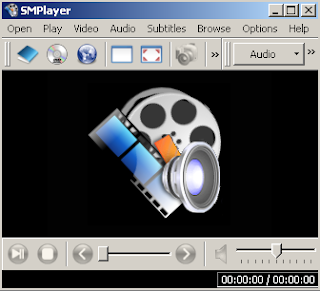 SMPlayer
For a long time I am looking for a player that can play any format. Unfortunately, I need a different player for playing some other formats like .flv files. I am looking for a player that can play these kind of video and audio files too and I found one. That is called
SMPlayer. SMPlayer, in my experience can play virtually any format I want. It can play .mov, .ra, .ram, .flv, and lot of other formats. This is the best player I ever know that can play these many different formats. This is functionally the best player that I have used. So if you are looking for a free and light weight player for playing any files then you can use this without installing any codec.
Note: Still you cannot play some formats then try installing codec packs like
KLite Mega Codec Pack.
Panda is one of the most popular and widely used security suite in the world. Now you have got a chance to get Panda Internet Security free for 3 months. Microsoft currently is running a "Protect your PC" campaign to make PC users aware of the security issues their operating system faces and take them seriously. It is a known fact that because Microsoft operating systems are used all around the world, they are always susceptible to malicious attacks. Microsoft as a result is partnering with Panda to provide free antivirus protection to its users there by encouraging them to protect their system. Anyway this is a great oppurtunity for you to act!
Download a free copy of your Panda Internet Security Suite today.
 Features of Panda Internet Security Suite 2009
*Anti-Phishing Filter
*Anti-Malware Protection
*Anti-Banking Trojan Engine
*Anti-Spam protection
*Advanced Proactive Protection
*Anti-Rootkit
*Automatic Backup and Restore
*Web Filter
*Firewall
*Parental Control
I hope you enjoyed the post.
There are lot of download managers that offer you the facility to download files from Rapidshare. If you are a premium member you can use any download manager to download your files. If you are a free user you cannot use a download manager to download files. Even if you download the file there is no guarantee that the file works because the file hosters are making constant modifications to prevent these kind of downloads. So if one download manager works for a day then it is unsure that it may work for any longer.

My quest for the best, free, and most importantly a working download manager for free is almost in vain. It is recently that I heard about JDownloader, which is a free download manager with lot of features and that supports not just Rapidshare, but over 100 different other file sharing services. So I decided to try JDownloader to download some files from Rapidshare.
Downloading files with JDownloader is easy and it also offers you a lot of benefits. First you can copy the DDL link to a Rapidshare and paste it in JDownloader to download it. You can also drag and drop the link into JDownloader. You can paste as many links as you can and each file will be downloaded one after the other. Another great benefit is that you did not have to fill captchas or remain in queue to download a file. JDownloader will automatically do this task for you.
 Amazing features of JDownloader
.
JDownloader has so many features that you cannot expect from a free Rapidshare download manager. The first and the foremost thing is that it is free and open source. It can auto complete captchas in about 26 different file hosting services and it supports more than 100 one-click filehosters. It allows you to create a list of files by copying and pasting the file into JDowloader or you can make it automatically do this by allowing it to monitor your clipboard. It also allows you to download multiple files from multiple filehosters simultaneously. It has a reconnect feature which will be configured so that DSL users can automatically obtain an IP. It has lot of other features like a file upacker, a password list manager, plugin support, and even allows you to select a preferred server from a particular filehoster.

After you have downloaded JDownloader you have to run the file named "JDownloader.jar” to start the installation process. Then you have to select the download location for all your files. Before installing JDownlaoder make sure that you have installed the latest JRE in your computer.
Now you can start downloading files with Rapidshare. It is pretty cool and easy. Before you start downloading files you have to accept the Terms of Services for all file hosting services. It may take some time before a download starts because if you are a free user then waiting time cannot be bypassed. But you did not have to intervene in the download process. The files will be downloaded automatically once the waiting time is over. A very important thing you have to do is, whenever JDownloader prompts you to update it, then do it because otherwise it may not work. These updates are patches for different new features and modifications to bypass JDownloader included to a file hosting service. You have to update JDownloader frequently to continue downloading files for free.

JDownloader is the best Rapidshare downloader you can get and it is completely free and open source. You can download this handy application
here. Linux users can visit this
link to download JDownlaoder.
Graphic designing is a very lucrative carrier. It provides a lot of opportunities. The benefit of learning graphic designing is that you can work as a freelancer or in reputed companies. The amount of money you can make is also immense. Moreover, the satisfaction of doing what you like and earning from it is amazing and this is also one of the reasons why lot of people want to learn Graphic designing.

A online crash course that will give you basics ideas about graphic designing, its challenges, and opportunities, and provide you with detailed descriptions, insights, and online resources which is easy to follow is published in
PSD TUTS. I find these tutorials simply amazing and going through these basic lessons will help you estimate your talent and plan a successful carrier in Graphic designing. I truly recommend this basic course in graphic designing for those want to know about graphic designing and those who want to jump into the world of Graphic designing. Follow this
link to get a great insight about Professional Graphic Designing.
SnagIt is the most popular screen capture software you can get. It is a professional screen capture tool that provides you with all you need to create stunning screen shots within just a few clicks. Professionals and non professionals, bloggers, and students will find this tool very useful. But even it is a very useful tool it is not free. SnagIt is a shareware, so you have to pay for it.
Now you can download a
legitimate version of SnagIt for free online. An old version of SnagIt, SnagIt 7.2.5 is available for free now. If you do not want to miss this wonderful opportunity then visit this
link.
You can register yourself with your email address and name here. You will be sent the key for unlocking SnagIt 7.2.5 version.
 Note
Note:You will be sent the registration key only. You have to manually download the trial version of SnagIt 7.2.5. To download the trial version of SnagIt 7.2.5 click
here.
Online Armor is one of the best firewalls in the market now. Online Armor is available as a free download just for today and it is not another give away of the day offer. You will get Online Armor with a 1-year license. So you will be entitled to get full support and updates until the license period expires.
Developers description of Online Armor."Online Armor - is a Personal Firewall to protect your money, identity and your Data. Whether you’re browsing, Transacting or receiving Email; Online Armor can protect you. This award winning software is easy to use right of the box.
The powerful “HIPS” functions, which is designed to stop all unrecognized programs from running on your computer, makes it possible to protect yourself against new threats and attacks.

In standard mode, most decisions are made completely automatically based on Online Armor’s whitelist - users never need answer a complex firewall prompt again.
Online Armor protects your passwords and private information from being stolen by blocking keyloggers as they try to activate. Online Armors behavior detection ensures that even specially created or new keyloggers are detected and prevented."
In order to learn more about this offer and download your free copy of Online Armor click
here.


